In HTML, anchor (hyperlink) tags provide several attributes that control how and where a link opens. One of the most important and commonly used attributes is the target attribute, which allows you to decide whether a link opens in the same tab, a new tab, a new window, or a parent frame. Maybe you need to read full details bout HTML Tag anchor Hyperlink.
In this guide, you’ll learn:
- How to open a link in a new tab using HTML
- Different
targetattribute values and how they work - How to open links in a parent or iframe context
- When you should and should not open links in a new tab
- Best practices for usability, accessibility, and SEO
Default Behavior of HTML Links
By default, an HTML anchor tag opens links in the same tab or window.
<a href="https://www.google.com/">Google</a>When a user clicks this link, the browser replaces the current page with the destination page.
This default behavior is equivalent to:
<a href="https://www.google.com/" target="_self">Google</a>HTML Open Page in New Tab (target="_blank")
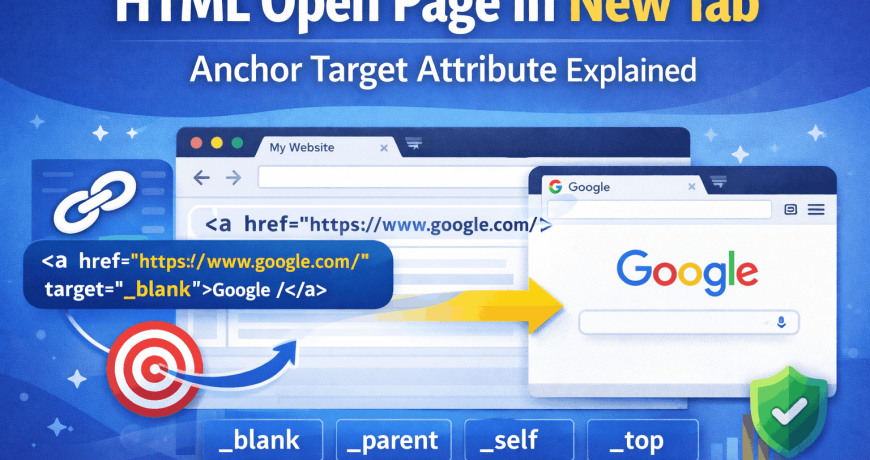
To open a link in a new browser tab, you use the target="_blank" attribute.
<a href="https://www.google.com/" target="_blank">Google</a>What Does target="_blank" Do?
- Opens the linked page in a new tab (or new window depending on browser settings)
- Keeps the original page open
- Allows users to return easily to your website
This is the most widely used and supported method for opening links in new tabs.
Security Best Practice (Very Important)
When using target="_blank", you should always add rel="noopener noreferrer" for security and performance reasons.
<a href="https://www.google.com/" target="_blank" rel="noopener noreferrer">
  Google
</a>
This prevents:
- Reverse tabnabbing attacks
- The new page from accessing your website’s
windowobject
HTML Open Page in New Window (target="_new")
There is a common misconception about target="_new".
<a href="https://www.google.com/" target="_new">Google in New Window</a>Important Clarification:
_newis not an official HTML standard- Browsers treat
_newas a named window - Clicking multiple links with
target="_new"will reuse the same window
👉 Best practice:
Use _blank instead. It is standardized and reliable.
HTML Open Page in Parent Window (target="_parent")
The _parent target is mainly used when working with iframes.
If your page is loaded inside an iframe and you want a link to open in the parent page, use:
<a href="https://www.google.com/" target="_parent">
  Google in Parent Window
</a>
When to Use _parent:
- Embedded pages inside iframes
- Ads or widgets loaded in child frames
- Applications using nested browsing contexts
HTML Open Page in Top Window (target="_top")
The _top target opens the link in the full browser window, breaking out of all frames.
<a href="https://www.google.com/" target="_top">
  Google in Top Window
</a>
This is useful when:
- Your page is deeply nested inside multiple iframes
- You want to reset the browsing context completely
Summary of HTML Target Attribute Values
| Target Value | Behavior |
|---|---|
_self | Opens link in the same tab (default) |
_blank | Opens link in a new tab |
_parent | Opens link in the parent frame |
_top | Opens link in the full window |
_new | Opens or reuses a named window (not recommended) |
When Should You Open a Page in a New Tab?
Opening links in new tabs should be done carefully and ethically.
✅ Good Use Cases
- External websites (Google, Bing, documentation, references)
- Download links
- Legal pages (terms, policies)
- External tools or resources
❌ Bad Use Cases
- Internal website navigation
- Blog posts linking to other blog posts
- Forcing users to open multiple tabs unnecessarily
UX & Ethical Considerations
Modern browsers limit what websites can control—and for good reason.
- Websites should respect user preferences
- Forcing new tabs repeatedly is annoying
- Users often close sites that behave aggressively
- Accessibility tools can be negatively affected
👉 Rule of thumb:
Internal links → same tab
External links → new tab (optional, but acceptable)
Always design your website the way you would want to use it yourself.
SEO Best Practices for target="_blank"
- Use descriptive anchor text
- Avoid opening internal links in new tabs
- Combine with
rel="noopener noreferrer" - Keep user intent in mind
- Don’t overuse new-tab links
Search engines do not penalize target="_blank, but poor UX can indirectly hurt SEO.
Final Thoughts
The target attribute in HTML gives you flexibility—but with flexibility comes responsibility. Use target="_blank" sparingly, avoid outdated attributes like _new, and always prioritize user experience, accessibility, and security.
A good website is not just about functionality—it’s about respect for the user.