
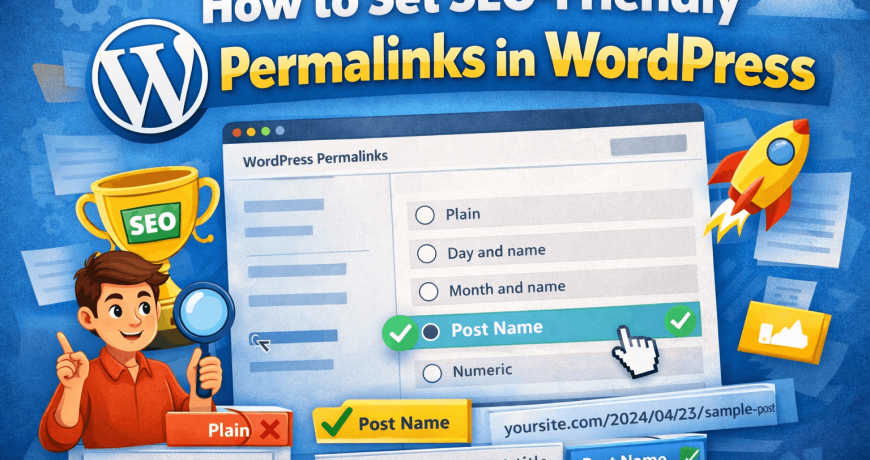
Permalinks are the permanent URLs of your WordPress posts, pages, categories, and other content. A clean and SEO-friendly permalink structure helps search engines understand your content better and improves click-through rates.
In this guide, you’ll learn how to set SEO friendly permalinks in WordPress, recommended URL structures, examples of good SEO post titles, and all available permalink formats.
What Are Permalinks in WordPress?
A permalink is the full URL used to access a specific post or page on your website.
Example:
https://yourwebsite.com/how-to-set-seo-friendly-permalinksA good permalink should be:
- Easy to read
- Keyword-focused
- Short and descriptive
- Permanent (not frequently changed)

Why SEO Friendly Permalinks Matter
SEO-friendly permalinks help in:
✔ Better search engine rankings ✔ Improved user experience ✔ Higher click-through rates (CTR) ✔ Easier link sharing
Search engines and users both prefer clean URLs over long and confusing ones.
How to Set Permalinks in WordPress (Step-by-Step)
Step 1: Go to Permalink Settings
- Log in to your WordPress Dashboard
- Navigate to Settings → Permalinks
You’ll see different permalink structure options.
Recommended SEO Friendly Permalink Structure
✅ Post Name (Best for SEO)
Structure:
https://yourwebsite.com/sample-postThis is the most recommended permalink structure for SEO.
Why Post Name Is Best:
- Includes keywords
- Short and clean
- Easy to understand
- Ideal for blogs and business websites
👉 Select Post name and click Save Changes.
Other WordPress Permalink Structures Explained
1. Plain Permalinks (Not SEO Friendly)
Example:
https://yourwebsite.com/?p=123❌ Not readable ❌ No keywords ❌ Bad for SEO
2. Day and Name
Example:
https://yourwebsite.com/2026/01/26/sample-post✔ Useful for news websites ❌ Date makes content look outdated ❌ Longer URLs
3. Month and Name
Example:
https://yourwebsite.com/2026/01/sample-post✔ Acceptable for blogs ❌ Still includes unnecessary date info
4. Numeric
Example:
https://yourwebsite.com/archives/123❌ No SEO value ❌ Not user-friendly
5. Custom Structure
Example:
https://yourwebsite.com/blog/%postname%✔ Good for large websites ✔ Allows category or blog base ❌ Can become long if misused
Best SEO Post URL Examples
Here are examples of SEO optimized post URLs:
✔ how-to-add-wordpress-post ✔ seo-friendly-permalinks-wordpress ✔ wordpress-permalink-settings-guide
Tips for SEO-Friendly URLs
✔ Use lowercase letters ✔ Use hyphens (-) instead of underscores ✔ Remove stop words (and, the, of) ✔ Avoid special characters ✔ Keep URLs short
How to Edit a Post URL (Permalink)
You can edit a permalink while creating or editing a post:
- Open the post editor
- Click on the post title or URL section
- Click Edit next to the permalink
- Enter your custom slug
Example:
Original: how-to-set-seo-friendly-permalinks-in-wordpress
Optimized: seo-friendly-permalinks-wordpress
SEO Best Practices for WordPress Permalinks
✔ Set permalink structure before publishing content ✔ Avoid changing old URLs frequently ✔ Use 301 redirects if URL changes are necessary ✔ Keep category usage minimal in URLs ✔ Match URL with post title keywords
Common Permalink Mistakes to Avoid
❌ Using dates in URLs for evergreen content ❌ Changing permalink structure on live sites without redirects ❌ Using stop words and long slugs ❌ Using special characters or capital letters
Permalink Structure for Different Website Types
Blogs & Content Sites
Recommended: Post name
Business Websites
Recommended: Post name or custom structure
News Websites
Recommended: Day and name
E-commerce Websites
Recommended: Custom structure with product base
Should You Change Permalinks on an Existing Website?
Changing permalinks on a live website can cause 404 errors and SEO loss if not handled correctly.
If you must change them:
- Use 301 redirects
- Update internal links
- Inform search engines via sitemap
Final Thoughts
Setting SEO friendly permalinks in WordPress is a one-time but crucial decision. The Post Name structure is best for most websites and helps maximize SEO benefits.
Once set correctly, avoid changing it unless absolutely necessary. In case your permalinks stop working for some reason try to reset WordPress permalinks easily.
