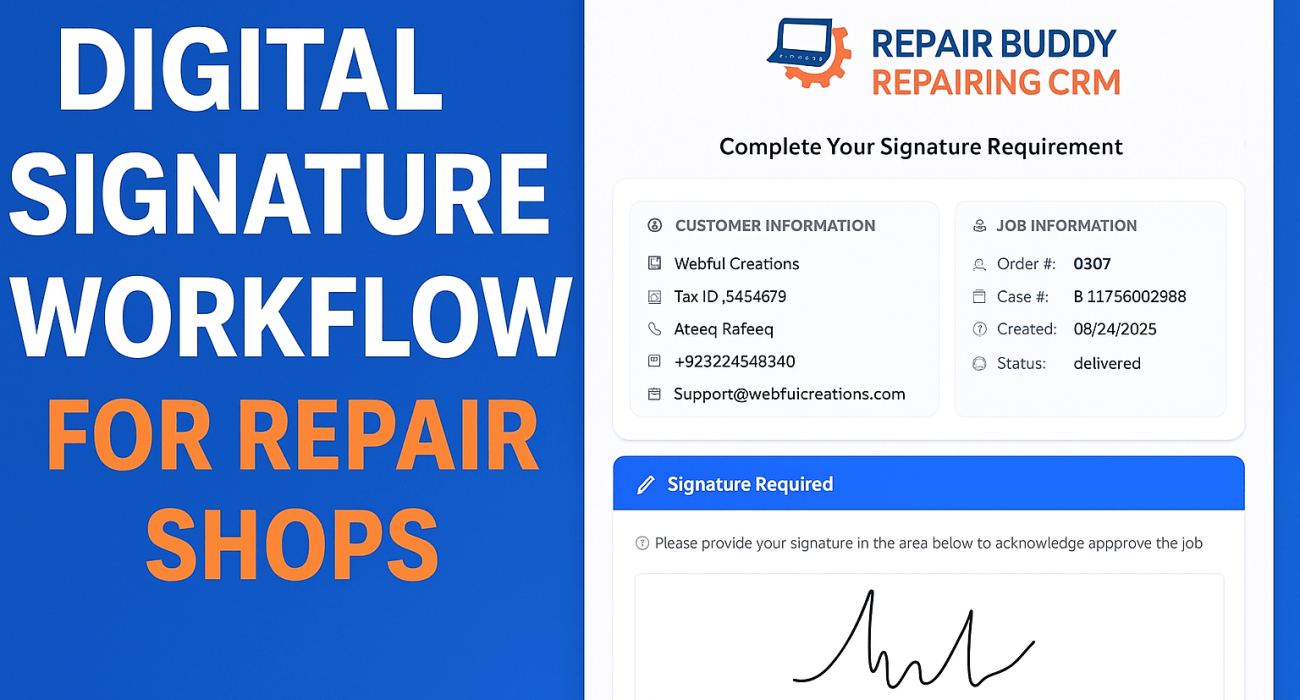
Running a repair shop shouldn’t mean chasing paperwork, printing authorization forms, or waiting days for customer approvals.
In today’s fast-paced repair industry, speed, transparency, and automation are no longer optional — they are essential.
That’s exactly why RepairBuddy’s Digital Signature Workflow was built.
This powerful feature allows repair shops to collect customer signatures online, automatically update job statuses, and record every step in job history — all without paper, phone calls, or manual follow-ups.
Whether you run a cell phone repair shop, computer repair business, electronics repair center, jewelry repair store, or equipment repair service, this workflow can completely transform how you operate.
Why Repair Shops Need a Digital Signature Workflow
Traditional signature collection causes delays and risks:
- ❌ Paper authorization forms get lost
- ❌ Customers are unavailable to sign in person
- ❌ Jobs get stuck in “Quote” or “Ready” status
- ❌ No proof of authorization during disputes
- ❌ No audit trail for compliance or liability protection
With RepairBuddy’s Digital Signature Workflow, everything becomes:
- ✅ Paperless
- ✅ Automated
- ✅ Trackable
- ✅ Secure
- ✅ Customer-friendly
What Is RepairBuddy’s Digital Signature Workflow?
RepairBuddy allows repair shops to send signature requests to customers via Email or SMS, collect signatures online, and automatically move jobs through your workflow.
There are two ways to request signatures:
- Manual Signature Requests
- Automated Signature Requests (Pickup & Delivery)
Let’s break both down 👇
Manual Signature Requests (Work Authorization, Approvals, Documents)
Sometimes you need a signature on demand — not tied to job status.
With RepairBuddy, manual signature requests are incredibly simple.
How Manual Signature Requests Work
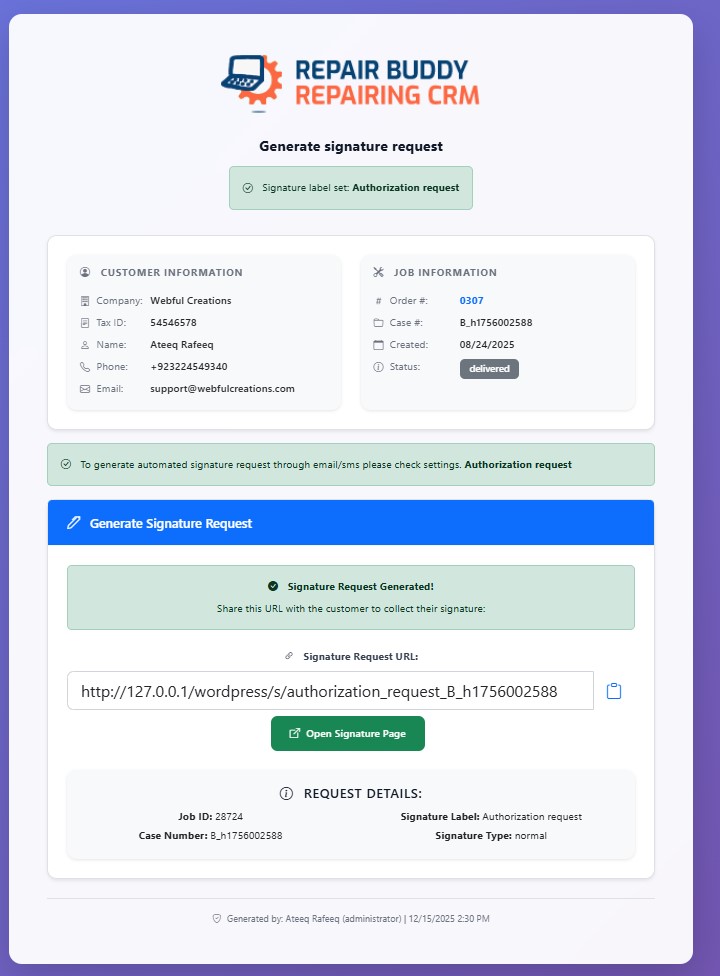
- Open a job inside RepairBuddy
- Click Generate Signature Request
- Add a custom label like:
- Authorization of Work
- Repair Approval
- Damage Waiver
- Document Approval
- A unique signature URL is generated
- Send the link to your customer via Email, SMS, WhatsApp, or any platform
- Customer signs digitally from any device
- Signature is instantly saved to the job
What Happens After Signature Submission?
- ✔ Signature is saved in job files
- ✔ IP address of the customer is recorded
- ✔ Signature label is clearly visible
- ✔ Admin receives an email notification
- ✔ Full activity is logged in job history
This is perfect for:
- Repair authorization
- Insurance approvals
- Special repair conditions
- Remote customer approvals
Automated Signature Workflow (The Real Game Changer 🚀)
RepairBuddy truly shines with automated pickup and delivery signatures.
Once configured, the system works without manual effort.
Pickup Signature Automation
How Pickup Signature Works
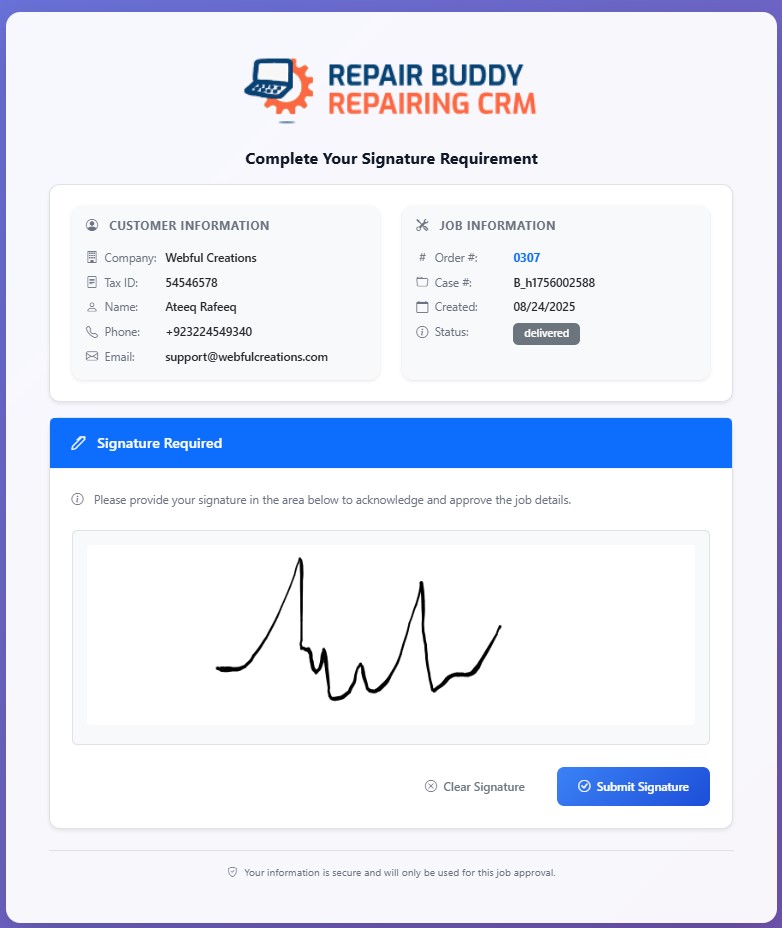
You decide:
- Which job status should trigger the pickup signature (e.g. Quote, Quotation, Awaiting Approval)
When the job enters that status:
- Customer automatically receives:
- 📧 Email signature request
- 📱 SMS signature request (if enabled)
- Email subject & body are fully customizable
- SMS text is customizable with smart variables
- Customer clicks the link and signs online
- Signature is saved in job files
- Job status automatically changes (e.g. Quote → In Process)
- Admin receives signature notification
- Customer receives job status update notification
Everything Is Logged Automatically
- Signature request sent (Email + SMS)
- Customer signature submission
- Job status change
- Admin notification
- Customer notification
No follow-ups. No delays. No confusion.
Delivery Signature Automation
Pickup signature gets work started.
Delivery signature completes the job professionally.
How Delivery Signature Works
You configure:
- A job status like Ready, Completed, or Ready for Pickup
When the job reaches that status:
- Customer receives delivery signature request
- Customer signs digitally
- Signature is saved to job attachments
- Job status automatically updates to Delivered
- Admin receives confirmation
- Customer receives delivery confirmation
This ensures:
- Proof of delivery
- No disputes
- Professional handover
- Clean job closure
If you don’t need delivery signatures, you can disable it anytime.
Full Job History & Audit Trail
Every signature action is recorded:
- Signature request sent
- Email & SMS logs
- Signature submission
- Customer IP address
- Status changes
- Notifications sent
This is extremely valuable for:
- Business accountability
- Legal protection
- Customer disputes
- Internal tracking
Supported Repair Industries
RepairBuddy is built for multiple repair industries, including:
- 📱 Cell Phone Repair Shops
- 💻 Computer & Laptop Repair
- 🔌 Electronics Repair
- ⌚ Watch & Jewelry Repair
- 🚲 Bicycle Repair Shops
- 🛠 Power Tool Repair
- 📷 Camera Repair
- 🚁 Drone Repair
- 🏗 Construction & Heavy Equipment Repair
- 📦 Mail-In Repair Services
- 📡 Wireless Repair Centers
No matter your niche, digital signatures fit seamlessly.
Key Benefits for Repair Shop Owners
- 🧾 No paperwork
- ⚡ Faster job approvals
- 🔄 Automated job workflow
- 📩 Email & SMS integration
- 🔐 Secure digital signatures
- 📊 Full transparency
- 📁 Centralized job records
- 😊 Better customer experience
Why RepairBuddy Is the Best Repair Shop Software for Digital Signatures
RepairBuddy isn’t just a digital signature tool — it’s a complete repair shop management system.
You get:
- Job management
- Customer management
- Status automation
- Notifications
- File attachments
- Signature workflow
- WordPress flexibility
- Industry-specific customization
All in one powerful platform.
Final Thoughts: Go Paperless, Go Faster
If you’re still printing forms or chasing customers for signatures, you’re losing time and money.
RepairBuddy’s Digital Signature Workflow helps you:
- Work smarter
- Automate approvals
- Reduce delays
- Protect your business
- Look professional
No more paperwork.
No more waiting.
Just smooth, automated repair workflows.